Window and Clearing
Now that we've gotten the "make sure we can compile, link, and run an SDL program" step out of the way, we can start actually doing some work. We'll start by going over Window creation and setting up your event loop so we can receive events, like the one that tells you the program should end.
A Window and an Event Loop
A Window
The first thing we'll need to clear the window is the window. So let's look into how to get an SDL_Window. Thankfully SDL makes it pretty easy, we just need the title we'd like, the width and height, and some flags. We'll go with the name of this chapter, and 720p. We can ignore the flags for now, for the most part they're not relevant to SDL_GPU.
SDL_Window* window = SDL_CreateWindow("002_Window_and_Clearing", 1280, 720, 0);
if (!window) {
    SDL_Log("Couldn't initialize SDL: %s", SDL_GetError());
    return 1;
}

// This is where the Event loop we cover in the next section will go!
SDL_DestroyWindow(window);
So we've created a simple window, checked that it's initialized, and then destroyed it. I wouldn't advise you to run this, as how something like this gets displayed is platform dependant, but we can expect either a flash of a window, or nothing at all.
Something very important with any library, but particularly with SDL is error checking. SDL thankfully provides a macro for us to use, so lets adjust our code above. Feel free to use whatever is most ergonomic for you or your language of choice if you're not using C, or would like more detailed errors.
SDL_assert(SDL_Init(SDL_INIT_VIDEO));

SDL_Window* window = SDL_CreateWindow("002-Window_and_Clearing", 1280, 720, 0);
SDL_assert(window);
An Event Loop
To briefly explain, for most Game-like applications, you're going to use a couple top-level loops:
- Frame loop: In here, you do everything needed within the frame. Typically when you're quitting, you break out of this loop somehow. Typically by setting a bool to false/true.
- Event loop: This is typically at the top in the Frame loop. It's where you call into the platform to receive all the events that have occurred since the previous iteration of the frame loop, and then process them.
The specific formulations of the above vary, but we'll just being using the typical formulation you'd find in most beginner games:
bool running = true;

// Outer "Frame" Loop
while (running) {
  SDL_Event event;

  // Event Loop, must exhaust all events every frame.
  while (SDL_PollEvent(&event)) {
      switch (event.common.type) {
        case SDL_EVENT_QUIT:
          running = false;
          break;
      }
  }

  // This is where you'd do most of your per-frame work. Gameplay, Physics, Rendering.
  // This is where almost all the code we'll be writing below is going, besides the functions of course!
}
So as mentioned, we have a bool that we can modify to exit the frame loop, and within that we have an Event loop. We loop over SDL_PollEvent, which returns true whenever it finds a new event. Right now all we need to deal with are SDL_EVENT_QUIT events, which we'll use to set running to false to end the application. It generally comes when the last Window open is closed.
Now, finally, we can discuss the GPU API.
SDL_CreateWindow- One of the most common functions when you use SDL, along with SDL_Init, it's probably closest to the function that "every" SDL application calls. There's a fair bit of flexibility in Window creation, and we won't cover most of it as it's not particularly relevant to rendering.
SDL_CreateWindowWithProperties- Technically we only alluded to this, we'll almost certainly discuss this or functions like it later. Essentially these substitute the arguments of the function with an SDL_Properties object, to allow functions to be extended in the future without needing to create entirely new symbols.
SDL_DestroyWindow- Simply the converse of
SDL_CreateWindow, it just brings the Window and related resources down.
- Simply the converse of
The Events Subsystem- We'll go over this in more detail as needed, but it wouldn't hurt to look over the docs here to get an idea on the general concepts here and how it works beyond my blurbs.
SDL_PollEvent- One of several methods of retrieving events from the operating system. Typically today we'd be using the callbacks system and never need to use
SDL_PollEventor one of the related functions. - This function and related functions have some deficiencies due to how some Operating Systems deal with some user facing operations. The callbacks system resolves this, but there are ways to handle them here as well. It'll be covered in a later chapter, but for now if you notice odd behavior with resizing the window (which we haven't even enabled yet), or moving the window, just know that this is expected.
- One of several methods of retrieving events from the operating system. Typically today we'd be using the callbacks system and never need to use
SDL_Event,SDL_CommonEvent,SDL_EVENT_QUITofSDL_EventType, and it's structSDL_QuitEventSDL_Eventis a union of structs SDL uses to pass us every event that it wants to inform us about. It contains within it every event struct, and we can differentiate between them by examining thetypefield within theSDL_CommonEventand checking it against the enums fromSDL_EventType. In this case, we just wanted to know when the user was requesting us to quit, which is fired when the user asks to close the last window as one example.- (Boring Technical Detail) For completeness sake,
SDL_Eventalso directly contains atypefield you can inspect to know the type. That said, for incredibly boring and technical details, in C++ specifically using this field to know which union member to use is undefined behavior. So I avoid doing so, even though in practice, every compiler I'm aware of treats this case as-if it were C and thus works as expected.
Devices, RenderPasses, and Clearing
Creating a Device
Finally, we can do one of the first things you'll ever do in a Graphics API, create a Device and claim the Window.
SDL_GPUDevice* device = SDL_CreateGPUDevice(SDL_GPU_SHADERFORMAT_SPIRV | SDL_GPU_SHADERFORMAT_DXIL | SDL_GPU_SHADERFORMAT_MSL, true, "vulkan");
SDL_assert(device);

SDL_assert(SDL_ClaimWindowForGPUDevice(mDevice, mWindow));
Pretty easy right? If you've dabbled in some of the APIs SDL_GPU is built on top of, you'd know initialization can be a bit of a bear at times. SDL_GPU generally takes care of most of those details, later on we'll look at how some of these details can be tweaked using a Properties version of SDL_CreateGPUDevice.
For now, we'll tell SDL_CreateGPUDevice that we can give SDL any of the backend shader formats. We'd like to create the Device in debug mode, so that things like the Vulkan Validation Layers, as well as SDL itself can do extra checking on your GPU operations, so we pass true to the debug parameter. Typically in a published build, you wouldn't ask for a Device to be created in Debug mode, but we're learning here, and more information is always better! Finally we'll pass in that we'd like to use the Vulkan backend.
If you're not getting a device created, it's likely that there's an issue with your drivers, your Vulkan SDK installation (on MacOS), or your GPU not supporting it. You can try to pass NULL as the final parameter to see if any of the backends are supported on your device, but note that this may cause issues or discrepancies when we cover debugging topics.
Now that we have a device, we can call SDL_ClaimWindowForGPUDevice to do what it says in the name: associate the GPUDevice and the Window. Just know that to render to our Window, we need to claim it for our Device. This is how, later on, we'll be able to retrieve swapchain textures (essentially the texture that the Window displays) and render to them.
Lets take a look at some initialization that we won't need just yet, but will help out in future examples. Fundamentally, we're just going to cache some checks on which formats SDL wanted shaders in, and create a properties object that we'll use to populate debug names when we start writing functions to create GPU resources.
While we're at it, let's make a context struct, and wrap all of this in a function.
typedef struct GpuContext {
  SDL_Window* mWindow;
  SDL_GPUDevice* mDevice;
  SDL_PropertiesID mProperties;
  const char* mShaderEntryPoint;
  SDL_GPUShaderFormat mChosenBackendFormat;
} GpuContext;

GpuContext CreateGpuContext(SDL_Window* aWindow) {
  GpuContext context;
  SDL_zero(context);

  context.mWindow = aWindow;
  context.mDevice = SDL_CreateGPUDevice(SDL_GPU_SHADERFORMAT_SPIRV | SDL_GPU_SHADERFORMAT_DXIL | SDL_GPU_SHADERFORMAT_MSL, true, NULL);
  SDL_assert(context.mDevice);

  SDL_assert(SDL_ClaimWindowForGPUDevice(context.mDevice, context.mWindow));

  context.mProperties = SDL_CreateProperties();
  SDL_assert(context.mProperties);

  SDL_GPUShaderFormat availableFormats = SDL_GetGPUShaderFormats(context.mDevice);
  context.mShaderEntryPoint = NULL;

  if (availableFormats & SDL_GPU_SHADERFORMAT_SPIRV)
  {
    context.mChosenBackendFormat = SDL_GPU_SHADERFORMAT_SPIRV;
    context.mShaderEntryPoint = "main";
  }
  else if (availableFormats & SDL_GPU_SHADERFORMAT_MSL)
  {
    context.mChosenBackendFormat = SDL_GPU_SHADERFORMAT_MSL;
    context.mShaderEntryPoint = "main0";
  }
  else if (availableFormats & SDL_GPU_SHADERFORMAT_DXIL)
  {
    context.mChosenBackendFormat = SDL_GPU_SHADERFORMAT_DXIL;
    context.mShaderEntryPoint = "main";
  }

  return context;
}

void DestroyGpuContext(GpuContext* aContext) {
  SDL_DestroyProperties(aContext->mProperties);
  SDL_DestroyGpuDevice(aContext->mDevice);
  SDL_DestroyWindow(aContext->mWindow);
  SDL_zero(*aContext);
}
So now we have a GpuContext struct we can pass around, it holds all of the stuff relevant to the Device for the sake of creating resources, and tearing them and it down. There's certainly more functionality we can add here, but we can revisit it later if it's helpful.
In terms of the functionality that we just added, as mentioned above, we've created an SDL properties object. This is a way to tell SDL about extra functionality we want. Often this is backend/platform specific information, but sometimes it's simply for extended initialization, as more can be added as needed, and it won't break SDLs API guarantees.
SDL_CreateGPUDevice- This is another one of those "every SDL_GPU application will need to call this" functions. It does all of the GPU initialization for us. It selects an API, selects a GPU, sets up validation layers, and more. I covered above what the args are for this, they're pretty simple. So I'd also recommend taking a look at the 'properties you can pass in to that version of the function.' There's of course the args that we can set in the normal function, but also preferences for the type of GPU to select, and a few backend specific properties. The Vulkan ones in particular are helpful by giving up some features for a drastic increase in Android support.
- I wanted to cover creating some small abstractions and objects for management early. I think it's important to have these primitives to help write our applications, and I don't want to write tutorials that pretend to do everything in
main. That said, I'll try to ensure they always stick to one file! (Plus the shader files.)
SDL_DestroyGpuDevice- This will destroy all the GPU resources you've created, whatever SDL_GPU has created in the background, and free the device. It's not safe to use anything you've created with the GPU Device after you've called this.
SDL_zero- This is a macro that lets us set a value to 0. This is really helpful when writing SDL_GPU code, the vast majority of functions take structs to configure them, and the majority of those have very reasonable default values if all their fields are set to 0. Since we're not using C designated initializer or some sort of template in C++, we use this macro to zero out these structs whenever we make one.
SDL_ClaimWindowForGPUDevice- This pretty much does as it says on the tin. Generally speaking, it's a rule that only one graphics API can really own a Window at a time. Things can get a bit complicated with offscreen rendering, multiple APIs, and shared resources, but we're not anywhere near that yet, and may never be.
SDL_GetGPUShaderFormats- Fundamentally all this is really doing for us is telling us, which shaders to pass in when we call 'SDL_CreateGPUShader' later on.
SDL_CreateProperties- There are many reasons you might create a and use a properties object. Maybe you want to use it as a map of sorts. In this case, we're going to be passing this into functions and Create structs when creating GPU resources. Almost every GPU resource can be named, and this will be helpful when getting debug output from the Vulkan Validation layers, and the DX12 debug output.
- As for why we're creating it and storing it. I just feel it's wasteful to create one every time we make a GPU resource. We could run into trouble with this if we selectively set properties on say one 'SDL_CreateGPUTexture' call and then leave them set for our next call into the same function. We'll avoid that when we write our wrapper functions by allowing us to pass in a custom Properties object as well.
SDL_DestroyProperties- This frees up all the resources SDL created internally to handle this Properties object. Don't try to use it again after calling this!
Clearing the Screen
A Command Buffer and the Swapchain Texture
We're near the finish line here. It's time to learn a bit about Command Buffers and the Swapchain Textures:
SDL_GPUCommandBuffer* commandBuffer = SDL_AcquireGPUCommandBuffer(context.mDevice);
if (!commandBuffer)
{
  SDL_Log("AcquireGPUCommandBuffer failed: %s", SDL_GetError());
  continue;
}

SDL_GPUTexture* swapchainTexture;
if (!SDL_WaitAndAcquireGPUSwapchainTexture(commandBuffer, context.mWindow, &swapchainTexture, NULL, NULL))
{
  SDL_Log("WaitAndAcquireGPUSwapchainTexture failed: %s", SDL_GetError());
  continue;
}
Not too bad, but you'll notice we didn't use SDL_assert. These two operations are okay to fail, if they do, we'll just skip rendering this frame. That said, you're probably wondering what these are.
A command buffer is how we record commands to instruct the GPU what to do. This includes things like uploading data in a Copy Pass, executing generic work on the GPUs many cores in a Compute Pass, and of course executing graphics related work in a Render Pass. We'll get into more details as this series moves along, but the command buffer is how we'll be doing the actual communication with the GPU. SDL_GPU handles the management of these, which you'll appreciate coming from something like Vulkan.
Once you have a command buffer, we can request a Swapchain texture. As mentioned earlier, this is the texture that is tied to, and gets displayed on the Window. By default SDL_GPU allocates 3 of them, that said this can be changed, as well as how precisely we wait for them, and if we wait at all. We'll try to cover some of these at a later time, for now this is a fairly simple way to handle acquisitions and submissions. The extra parameters which we've passed NULL to are simply to acquire the width and height of the given texture. This will become useful later, but we don't need it for now.
The Render Pass
Now we can finally finish out the chapter by doing one of the "simplest" graphics applications, clearing the screen. Or, more specifically, clearing the swapchain texture we acquired and then displaying that texture onto the screen.
This requires a RenderPass, which is how we instruct the GPU to run through the vertex pipeline into the shading pipeline, out to an image. We'll go over that in more details in subsequent chapters, but you can think of this as the Pass which does most of the actual graphics work. There's also Copy and Compute Passes we have access to in SDL_GPU, and those essentially do what they sound like, letting you copy to/from GPU memory, and doing general purpose computing work respectively.
So the configuration of a RenderPass ignoring for a moment the additional work we can do once we have one, is mostly about the final image(s) we're outputting to. These are more generally called Targets, as you can both have more than one, and there are several kinds. These are what we'll be drawing to in subsequent chapters.
To clear the swapchain texture though, we actually only need to Begin and End a RenderPass, as this alone will allow us to configure the swapchain texture as a target, tell the RenderPass to clear it to a particular color, and to store that clear to the texture at the end. Lets see what that looks like:
SDL_GPUColorTargetInfo colorTargetInfo;
SDL_zero(colorTargetInfo);

colorTargetInfo.texture = swapchainTexture;
colorTargetInfo.load_op = SDL_GPU_LOADOP_CLEAR;
colorTargetInfo.store_op = SDL_GPU_STOREOP_STORE;
colorTargetInfo.clear_color.r = 0.2f;
colorTargetInfo.clear_color.g= 0.2f;
colorTargetInfo.clear_color.b = 0.85f;
colorTargetInfo.clear_color.a = 1.0f;

SDL_GPURenderPass* renderPass = SDL_BeginGPURenderPass(
  commandBuffer,
  &colorTargetInfo,
  1,
  NULL
);

SDL_EndGPURenderPass(renderPass);
SDL_SubmitGPUCommandBuffer(commandBuffer);
We did it! You should be seeing a window with a blue background!
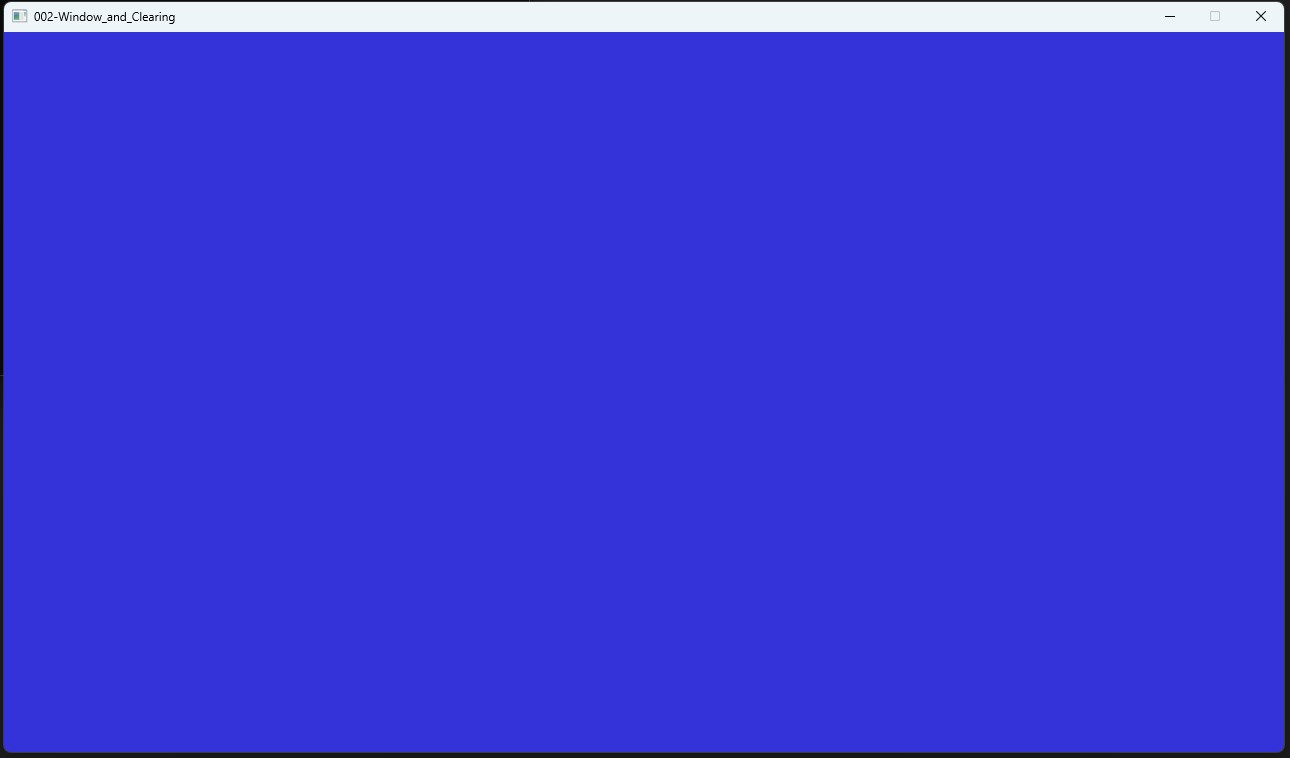
SDL_BeginGPURenderPass is the first time for us that an SDL GPU call requires a fair bit of configuration, but it won't be the last by a long shot. SDL_GPUColorTargetInfo is one of many create/info structs we'll be going over. As will become tradition, we zero it out to "default" the fields, but right now, we can concern ourselves with just the 4 fields we're setting here:
- texture: The is the texture we're rendering to, the "target".
- load_op: How the Render Pass should be treating the contents of the texture before you start executing it. By your choice, it can either keep the previous contents, clear to a color (what we're doing to get that blue color), or tell it that we don't care. If we don't care the API doesn't either, you can't rely on the image looking like anything in particular.
- store_op: The converse, how the Render Pass treats that same texture as it ends. Typically you'll just want to store here. You can also tell it not to care, or do some "Resolve" variations. Being honest, I don't know what that's for. When I do, I'll update this, and also write an example about it.
- clear_color: As you might expect, this is just a small struct with RGBA (Red/Green/Blue/Alpha) floats in it to clear the Render Target to when we pass
SDL_GPU_LOADOP_CLEAR.
As you may notice from the parameters of SDL_BeginGPURenderPass as well as the discussion above, you can actually pass an array of Color Targets. We'll be going through some very simple fullscreen effects in the next chapter, but when we get further along and learn more about textures, we can play around with this functionality with more interesting fullscreen effects. Similarly we'll get to the SDL_GPUDepthStencilTargetInfo parameter later on when we start playing with 3D.
After that, it's really just about ending the render pass with SDL_EndGPURenderPass and submitting the command buffer with SDL_SubmitGPUCommandBuffer to the GPU so that our commands are run.
SDL_AcquireGPUCommandBuffer- A common thing we hear about in Graphics is about doing things on other threads, such as recording command buffers. In practice, this isn't really all that slow, or at least the recording part isn't, perhaps walking your scene might be but that's an architectural issue. That said, I won't say there's no uses of threads here. In my experience, it can be very useful to do mid-frame uploads when you do things like load assets. The upload itself usually isn't the slow part, but it can be easier to do the upload on another thread if you're already doing the unpacking on another thread. We might look into these strategies in a later chapter if I can find a compelling use case that doesn't take a lot of non-GPU work.
SDL_SubmitGPUCommandBuffer- Not much to say here, but if you're looking into threading, it may well be that you'll want to look into the sibling function
SDL_SubmitGPUCommandBufferAndAcquireFence, which lets you get a fence to wait on if you need a command buffer to complete before proceeding, such as when doing a read of GPU memory from the CPU side.
- Not much to say here, but if you're looking into threading, it may well be that you'll want to look into the sibling function
SDL_WaitAndAcquireGPUSwapchainTexture- There's not too much to say here, this is how we ask for a Swapchain to manipulate in our passes.
- Some other APIs related to Swapchains that I alluded to above for further reading if you want to look ahead or the tutorial hasn't covered them yet:
- 'SDL_AcquireGPUSwapchainTexture'
- No waiting for the swapchain, but also, you might not have one available.
- 'SDL_SetGPUAllowedFramesInFlight'
- Reduce or increase the number of frames in flight. This generally affects latency, with lower being lower, but increasing the likely hood of idling.
- 'SDL_SetGPUSwapchainParameters'
- Change the format of the Texture, as well as the presentation mode. Changing the format is useful when you want to render an HDR image, changing the present mode would allow you to turn off VSYNC and switch to allowing screen tearing or mailbox where you can keep submitting and the GPU will use the latest image given when it's time to display. Both of these need to be queried for support before changing.
- 'SDL_AcquireGPUSwapchainTexture'
SDL_GPUColorTargetInfo- I covered the immediately relevant properties above, but there's a fair bit of stuff you can adjust here, such as a resolve texture for doing various multi-sampling techniques. We'll try to explore this functionality in a later chapter at some point.
SDL_BeginGPURenderPass- Nothing additional to point out about this, there's depth textures, but we'll go over it later on, perhaps in a sprite batching chapter.
SDL_EndGPURenderPass- As simple as it gets, this ends the Render Pass you were adding commands to. It should be noted that it's not unlikely you'll have several of these in a frame, though obviously you don't want to go overboard. As you may suspect, you'll need to End a Render Pass and Begin a new one if you have to change the Textures you're rendering to. One example may be a blur shader, where you need to read from a target you did your initial geometry rendering to, render to an intermediate Texture for a horizontal blur, and finally render to a final Texture using a vertical blur pass.
And now to move on to rendering some actual geometry, and using some very simple shaders!
#include <SDL3/SDL.h>

// This is for testing to ensure the code works in both C and C++,
// this entire preprocessor block should just be the #include
// in your own code.
#ifndef __cplusplus
#include <SDL3/SDL_main.h>
#else
namespace cpp_test {
#endif

/////////////////////////////////////////////////////////////////////////////////////////////////////////////////
// Shared GPU Code
/////////////////////////////////////////////////////////////////////////////////////////////////////////////////
typedef struct GpuContext {
  SDL_Window* mWindow;
  SDL_GPUDevice* mDevice;
  SDL_PropertiesID mProperties;
  const char* mShaderEntryPoint;
  SDL_GPUShaderFormat mChosenBackendFormat;
  const char* mChosenBackendFormatExtension;
} GpuContext;

GpuContext gContext;

void CreateGpuContext(SDL_Window* aWindow) {
  SDL_zero(gContext);

  gContext.mWindow = aWindow;
  gContext.mDevice = SDL_CreateGPUDevice(SDL_GPU_SHADERFORMAT_SPIRV | SDL_GPU_SHADERFORMAT_DXIL | SDL_GPU_SHADERFORMAT_MSL, true, NULL);
  SDL_assert(gContext.mDevice);

  SDL_assert(SDL_ClaimWindowForGPUDevice(gContext.mDevice, gContext.mWindow));

  gContext.mProperties = SDL_CreateProperties();
  SDL_assert(gContext.mProperties);

  SDL_GPUShaderFormat availableFormats = SDL_GetGPUShaderFormats(gContext.mDevice);
  gContext.mShaderEntryPoint = NULL;

  if (availableFormats & SDL_GPU_SHADERFORMAT_SPIRV)
  {
    gContext.mChosenBackendFormat = SDL_GPU_SHADERFORMAT_SPIRV;
    gContext.mShaderEntryPoint = "main";
    gContext.mChosenBackendFormatExtension = "spv";
  }
  else if (availableFormats & SDL_GPU_SHADERFORMAT_MSL)
  {
    gContext.mChosenBackendFormat = SDL_GPU_SHADERFORMAT_MSL;
    gContext.mShaderEntryPoint = "main0";
    gContext.mChosenBackendFormatExtension = "msl";
  }
  else if (availableFormats & SDL_GPU_SHADERFORMAT_DXIL)
  {
    gContext.mChosenBackendFormat = SDL_GPU_SHADERFORMAT_DXIL;
    gContext.mShaderEntryPoint = "main";
    gContext.mChosenBackendFormatExtension = "dxil";
  }
}

void DestroyGpuContext() {
  SDL_DestroyProperties(gContext.mProperties);
  SDL_DestroyGPUDevice(gContext.mDevice);
  SDL_DestroyWindow(gContext.mWindow);
  SDL_zero(gContext);
}

/////////////////////////////////////////////////////////////////////////////////////////////////////////////////
// Main
/////////////////////////////////////////////////////////////////////////////////////////////////////////////////
int main(int argc, char** argv)
{
  if (!SDL_Init(SDL_INIT_VIDEO)) {
    SDL_Log("Couldn't initialize SDL: %s", SDL_GetError());
    return 1;
  (void)argc;
  (void)argv;
  SDL_assert(SDL_Init(SDL_INIT_VIDEO));

  SDL_Window* window = SDL_CreateWindow(TARGET_NAME, 1280, 720, 0);
  SDL_assert(window);

  CreateGpuContext(window);

  bool running = true;

  while (running) {
    SDL_Event event;
    while (SDL_PollEvent(&event)) {
      switch (event.common.type) {
        case SDL_EVENT_QUIT:
          running = false;
          break;
      }
    }

    SDL_GPUCommandBuffer* commandBuffer = SDL_AcquireGPUCommandBuffer(gContext.mDevice);
    if (!commandBuffer)
    {
      SDL_Log("AcquireGPUCommandBuffer failed: %s", SDL_GetError());
      continue;
    }

    SDL_GPUTexture* swapchainTexture;
    if (!SDL_WaitAndAcquireGPUSwapchainTexture(commandBuffer, gContext.mWindow, &swapchainTexture, NULL, NULL))
    {
      SDL_Log("WaitAndAcquireGPUSwapchainTexture failed: %s", SDL_GetError());
      continue;
    }

    SDL_GPUColorTargetInfo colorTargetInfo;
    SDL_zero(colorTargetInfo);

    colorTargetInfo.texture = swapchainTexture;
    colorTargetInfo.load_op = SDL_GPU_LOADOP_CLEAR;
    colorTargetInfo.store_op = SDL_GPU_STOREOP_STORE;
    colorTargetInfo.clear_color.r = 0.2f;
    colorTargetInfo.clear_color.g = 0.2f;
    colorTargetInfo.clear_color.b = 0.85f;
    colorTargetInfo.clear_color.a = 1.0f;

    SDL_GPURenderPass* renderPass = SDL_BeginGPURenderPass(
      commandBuffer,
      &colorTargetInfo,
      1,
      NULL
    );

    SDL_EndGPURenderPass(renderPass);
    SDL_SubmitGPUCommandBuffer(commandBuffer);
  }

  SDL_Log("Everything is working.");
  DestroyGpuContext();

  SDL_Quit();
  return 0;
}

#ifdef __cplusplus
} // end cpp_test
#endif
Download the source for this example here.